
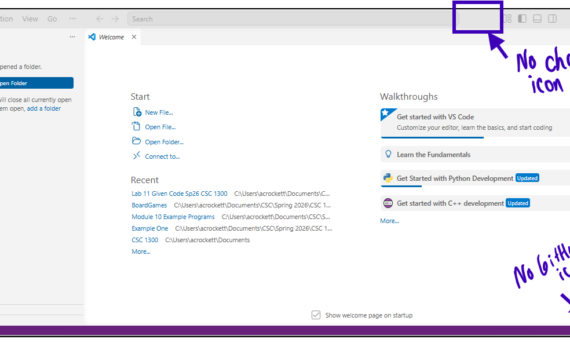
In all assignments for CSC 1300 and CSC 1300 you are not allowed to use any GenAI tool to write code for you. The syllabus states this as does every individual assignment. Using GenAI results in zeros for grades. Therefore, this is a VERY important step because unfortunately, VS Code […]
1310
10 posts

GCC (GNU Compiler Collection) is a foundational toolchain for C++ development, providing the g++ compiler to transform C++ source code into executable binaries.
STEP ONE: Install VS Code STEP TWO: Install C++ Extension to VS Code STEP THREE: Disable all GenAI in VS Code STEP FOUR: Write, Compile, & Run a C++ Program STEP FIVE: VS Code Features You May Like

Clang is a compiler front end for programming languages C, C++, Objective-C, Objective-C++, and the software frameworks OpenMP, OpenCL, RenderScript, CUDA, SYCL, and HIP. Clang could already be installed on your Mac. To verify if Clang is on your computer already, open a macOS Terminal window and enter the following […]
STEP ONE: Install VS Code STEP TWO: Install C++ Extension to VS Code STEP THREE: Disable all GenAI in VS Code STEP FOUR: VS Code: Write, Compile & Run C++ Code STEP FIVE: VS Code Features You May Like
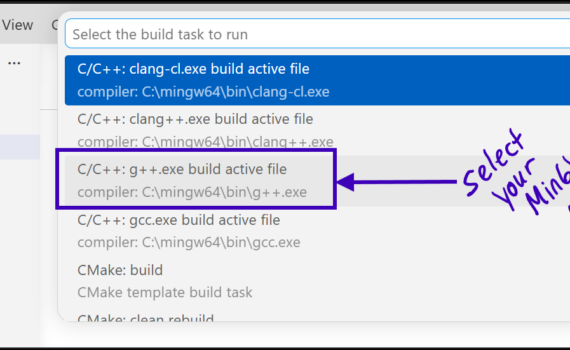
Basic Information Directions for Setting up on Windows In this step-by-step tutorial, you will learn to install and configure VS Code on your Windows computer to use the MinGW compiler. After configuring VS Code, you will compile a simple C++ program in your Command Prompt. STEP ONE: Download, Install, & […]
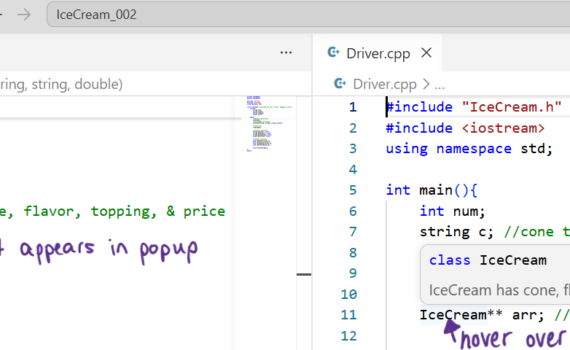
This list of features was compiled by the following people: April Crockett, Taseen Iqtider, Kelsey Rainey, and Caroline Dixon. Color Themes You can select a color theme for VS Code by opening the Color Theme picker with File > Preferences > Color Theme. You can also use the keyboard shortcut […]
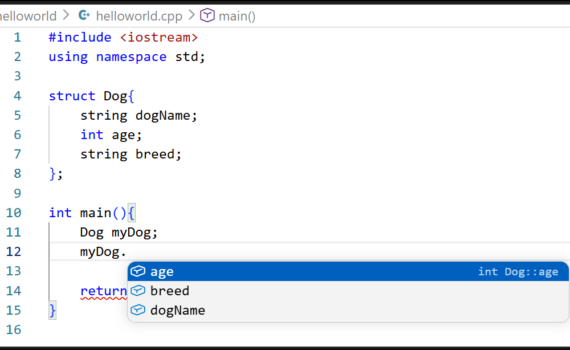
Creating a Workspace in VS Code (helloworld example) Create a Source File (C++ Program) Set Up Auto Save You can enable Auto Save to automatically save your file changes, by clicking on File at the top and then scrolling down to click on Auto Save. The Activity Bar on the edge of […]
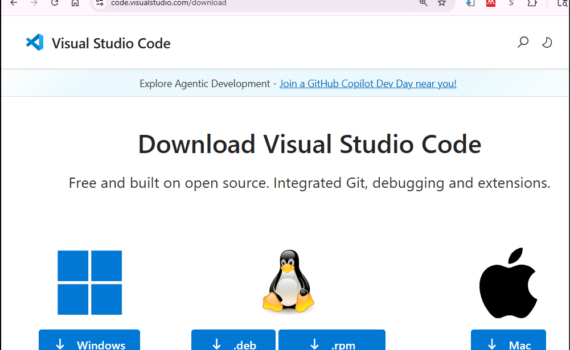
STEP ONE: Install VS Code STEP TWO: Install C++ Extension to VS Code STEP THREE: Disable all GenAI in VS Code STEP FOUR: VS Code: Write, Compile & Run C++ Code STEP FIVE: VS Code Features You May Like
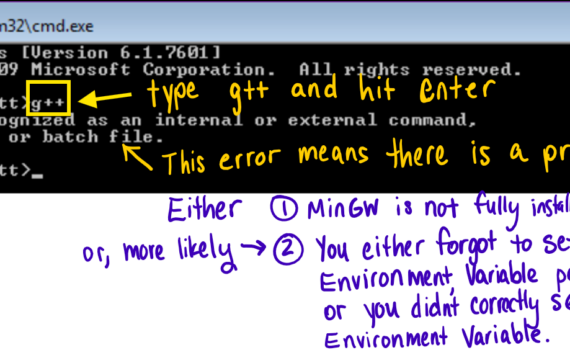
STEP ONE: Pause Your Antivirus Software If you have any antivirus software (Norton, TotalAV, Guardio, Avast, AVG, Aura, Bitdefender, Surfshark, Avira, etc.) on your computer, pause it so that you can fully download the zip file in the next step. If you do not know how to pause your antivirus, […]