This list of features was compiled by the following people: April Crockett, Taseen Iqtider, Kelsey Rainey, and Caroline Dixon.
Color Themes
You can select a color theme for VS Code by opening the Color Theme picker with File > Preferences > Color Theme.
You can also use the keyboard shortcut Ctrl+T to display the picker.
Read more about Color Themes and download many more from the Extension Marketplace by visiting the Visual Studio Code website Themes page: https://code.visualstudio.com/docs/getstarted/themes
In Windows – Open VS Code in a Particular Directory
Tab & Reverse Tab a Chunk of Code
Highlighting more than one line of code at once then pressing the tab key indents the highlighted lines.
To reverse-tab (or undo the indent), highlight the lines wanted to move and press Shift + Tab.
Comment Out (or Un-Comment Out) a Chunk of Code
Highlight all the code you want to comment out and press Ctrl + /. This will comment it out.
Want to un-comment it out? Then just press Ctrl + / again!
Renaming Variables
If you need to change a certain variable name you can right click the variable name and in the menu that pops up, click “rename symbol” (or clicking F2). This will rename it, also anywhere its called in the code, and replace it with the new name.
Format Code into Pretty Code
It’s easy! To format your entire document with perfect indentions try the following:
Windows: Shift + Alt + F
Mac: Shift + Option + F
Adding a Pop-Up Description to Variables, Functions, & Classes
Pop-Up Description for Variables
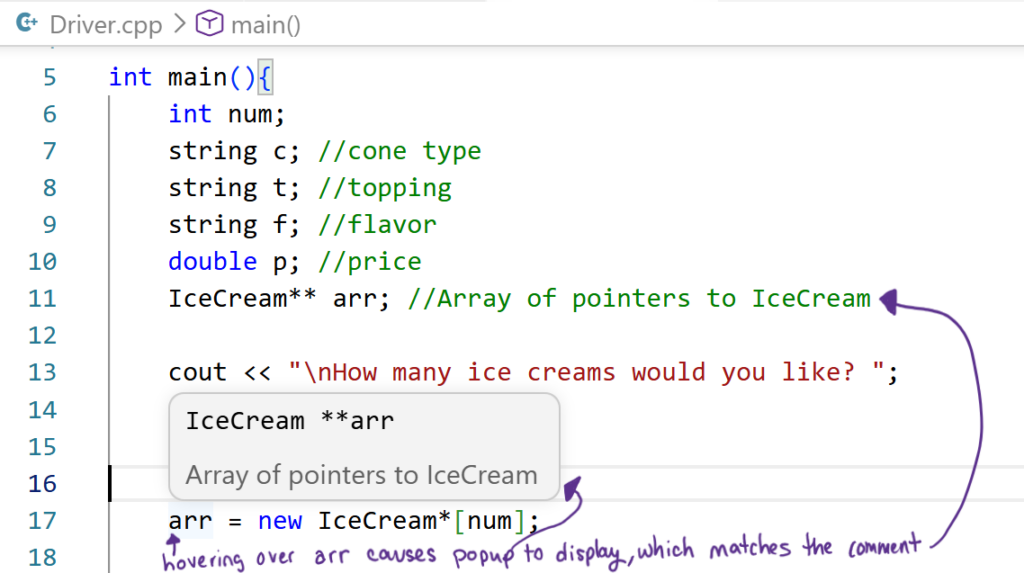
Adding a comment right after initializing a variable gets put as that variable’s description, which will appear whenever you hover over that variable.
Pop-Up Description for Functions
You can do the same thing for functions – add a comment above the function header or on the same line as the function header and that comment will appear whenever hovering over the function name in the function call statement. This even carries into other files you use the function in.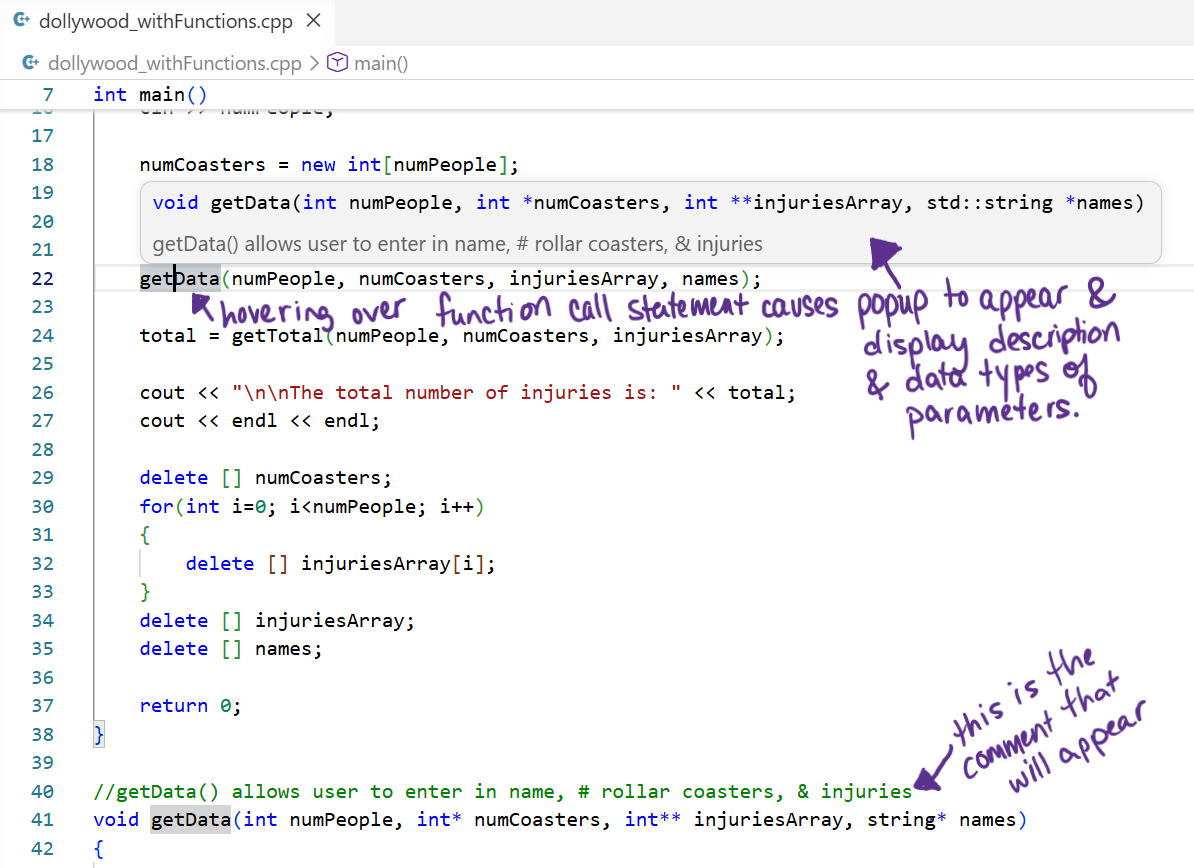
Pop-Up Description for Classes
You can do the same thing for a class. All you have to do is add a comment above the class or on the same line as where you define the class.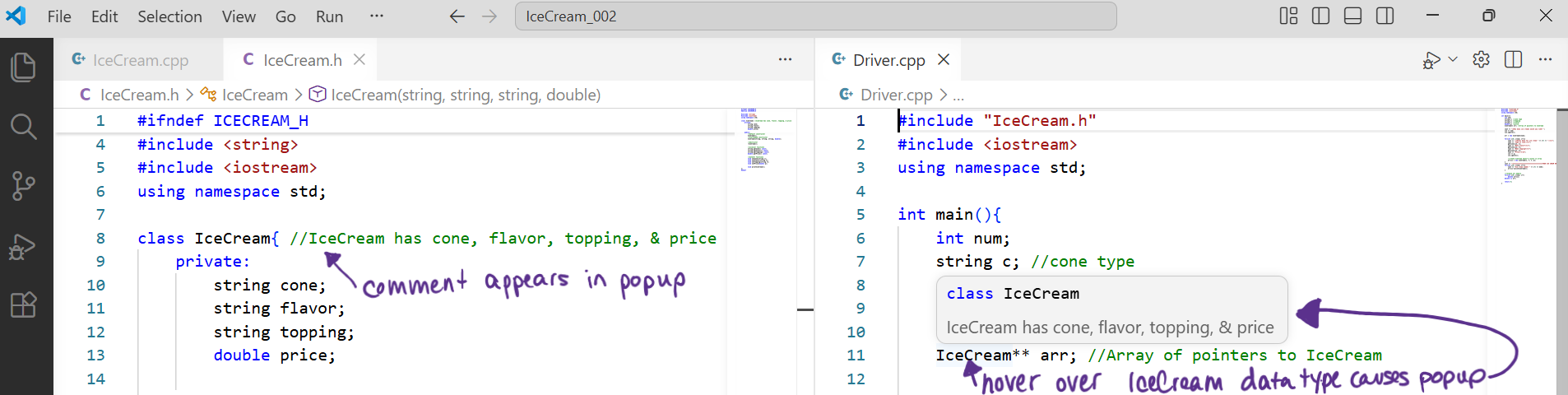
Extensions – Have Fun Debugging Your Code
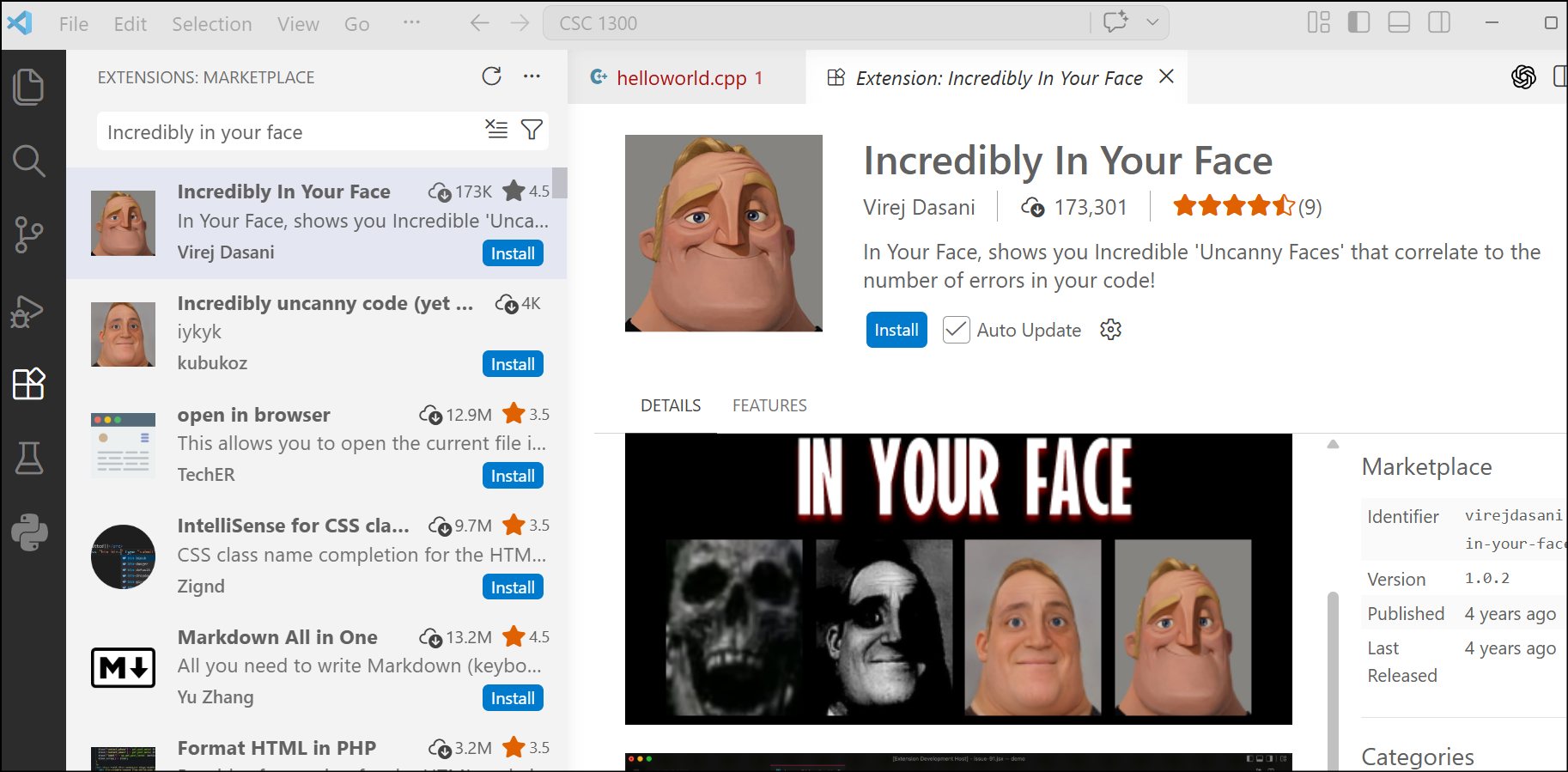
Try out the extension FAAH error alert or Incredibly In Your Face.