In all assignments for CSC 1300 and CSC 1300 you are not allowed to use any GenAI tool to write code for you. The syllabus states this as does every individual assignment. Using GenAI results in zeros for grades.
Therefore, this is a VERY important step because unfortunately, VS Code preinstalls GitHub Copilot (AI tool) so that when you install VS Code you have access to it.
You need to disable GitHub Copilot so that you aren’t using it for assignments to generate code.
Steps to Disable GitHub Copilot
STEP ONE:
Click on Extensions icon on left side of VS Code and then type “github copilot” in the Extensions Marketplace search bar. Then, click on the GitHub Copilot Chat extension, which will open a page about that extension. Then click the Disable AI Features button.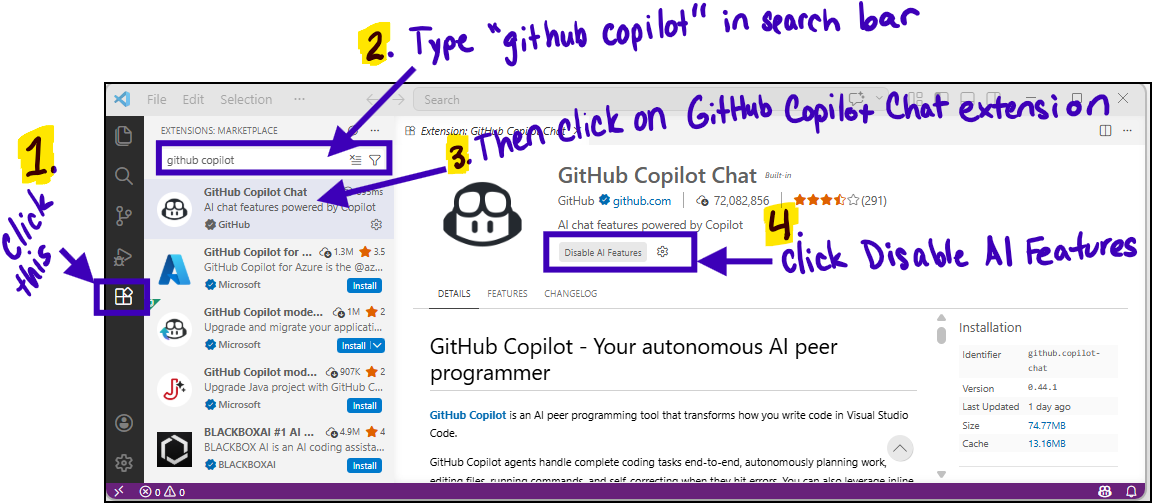
STEP TWO: Close & Reopen
You must then CLOSE VS Code and then re-open it.
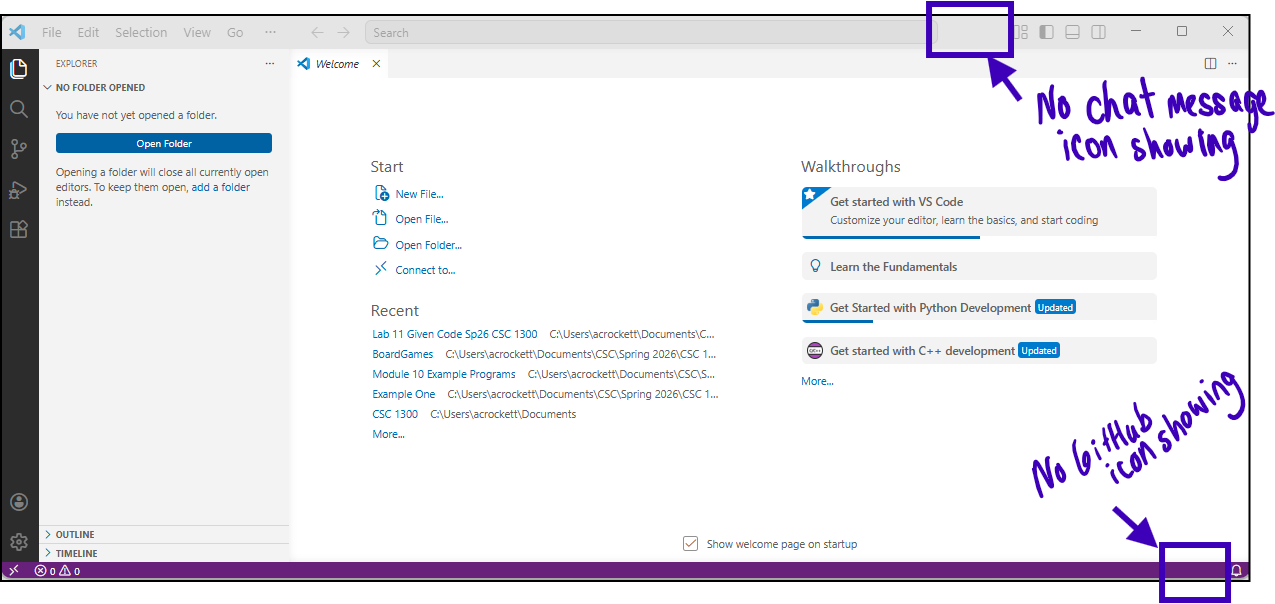
STEP THREE: Verify its Gone!
This is what VS Code looks like WITHOUT AI enabled. This is what you want for CSC 1300 & CSC 1310 unless otherwise instructed.